
Transportation Built
Into Your Agency Workflow
Routes, drivers, vehicles, and trip tracking, managed from the same platform your team already uses. No spreadsheets, no phone tag.
The Problem
Transportation shouldn't live in a spreadsheet
Most HCBS agencies cobble together transportation with Excel, group texts, and tribal knowledge. When a driver calls out or a route changes, it takes a chain of calls to fix. Cura OS manages it all in one place, connected to your clients, services, and billing.
Disconnected Systems
Routes and clients are tracked in spreadsheets completely separate from your scheduling and billing platform.
No Trip Visibility
You have no real-time view of which trips are on time, in progress, or missed, until clients don't show up.
Manual Billing Reconciliation
Mileage, trip counts, and passenger logs have to be cross-referenced manually before every billing cycle.
Trip Calendar
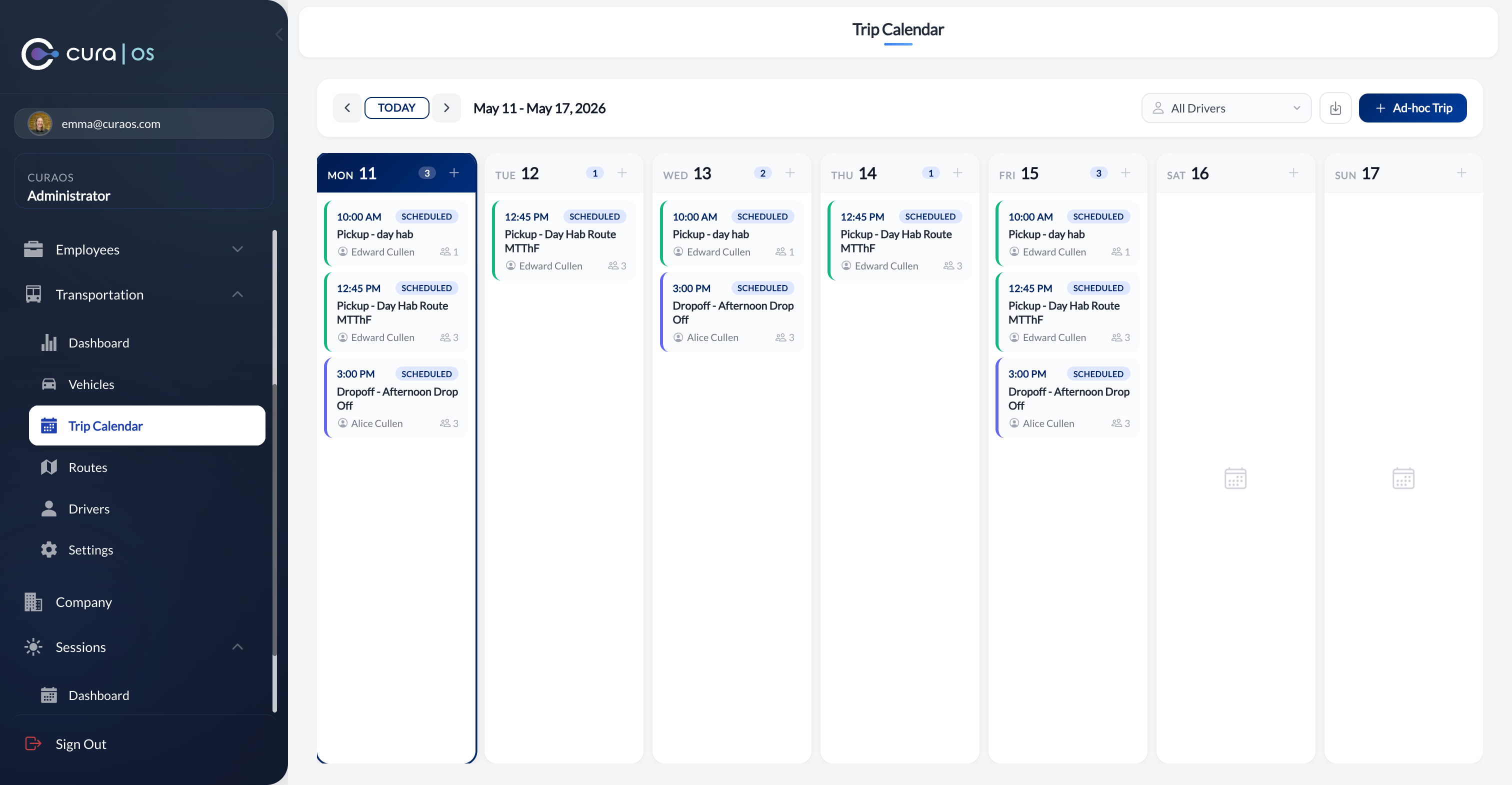
See every trip for the week at a glance
The trip calendar gives coordinators a full weekly view of all pickups and drop-offs, organized by driver. Spot gaps, conflicts, and coverage issues before the day starts, not after a client calls asking where their ride is.
Weekly overview by driver
Filter the calendar by driver to see their full week of pickups and drop-offs in a single view.
Ad hoc trips on the fly
Add one-off trips directly from the calendar without creating a permanent route.
Real-time status badges
Trips show their current status (Scheduled, In Progress, Completed, or Cancelled) as the day unfolds.
Routes
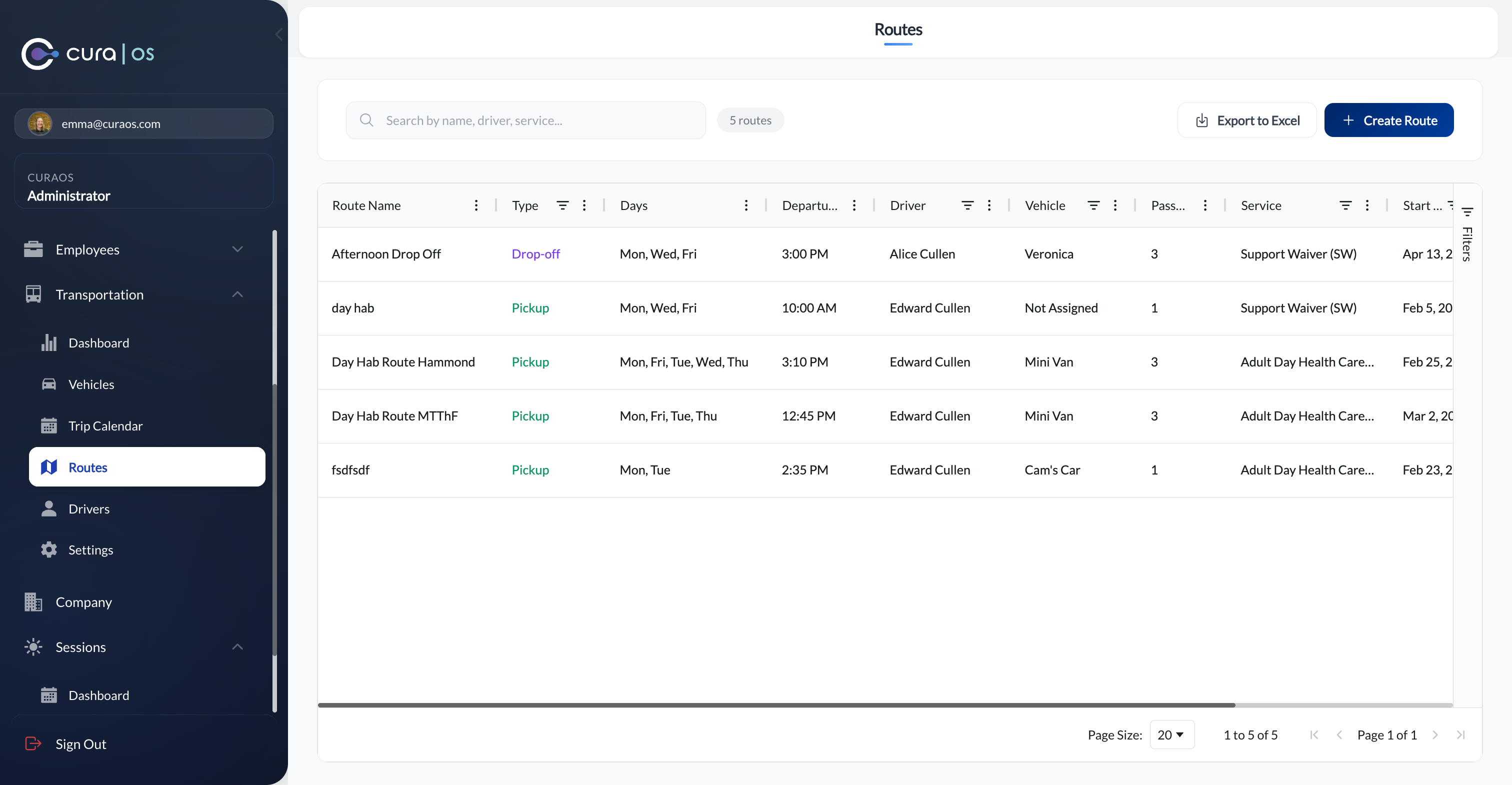
Build and manage routes in minutes
Create pickup and drop-off routes, assign drivers and vehicles, set recurring schedules, and tie each route to a specific service. Every route is connected to the clients it serves, so a schedule change automatically flows through to trip records.
Pickup and drop-off routes
Create separate inbound and outbound routes with different departure times, drivers, and vehicles.
Recurring schedules
Set routes to repeat on specific days of the week, no need to recreate them each week.
Tied to services and clients
Each route is linked to a service type, so client eligibility and billing codes are always accurate.
Fleet Management
Your drivers and vehicles, always up to date
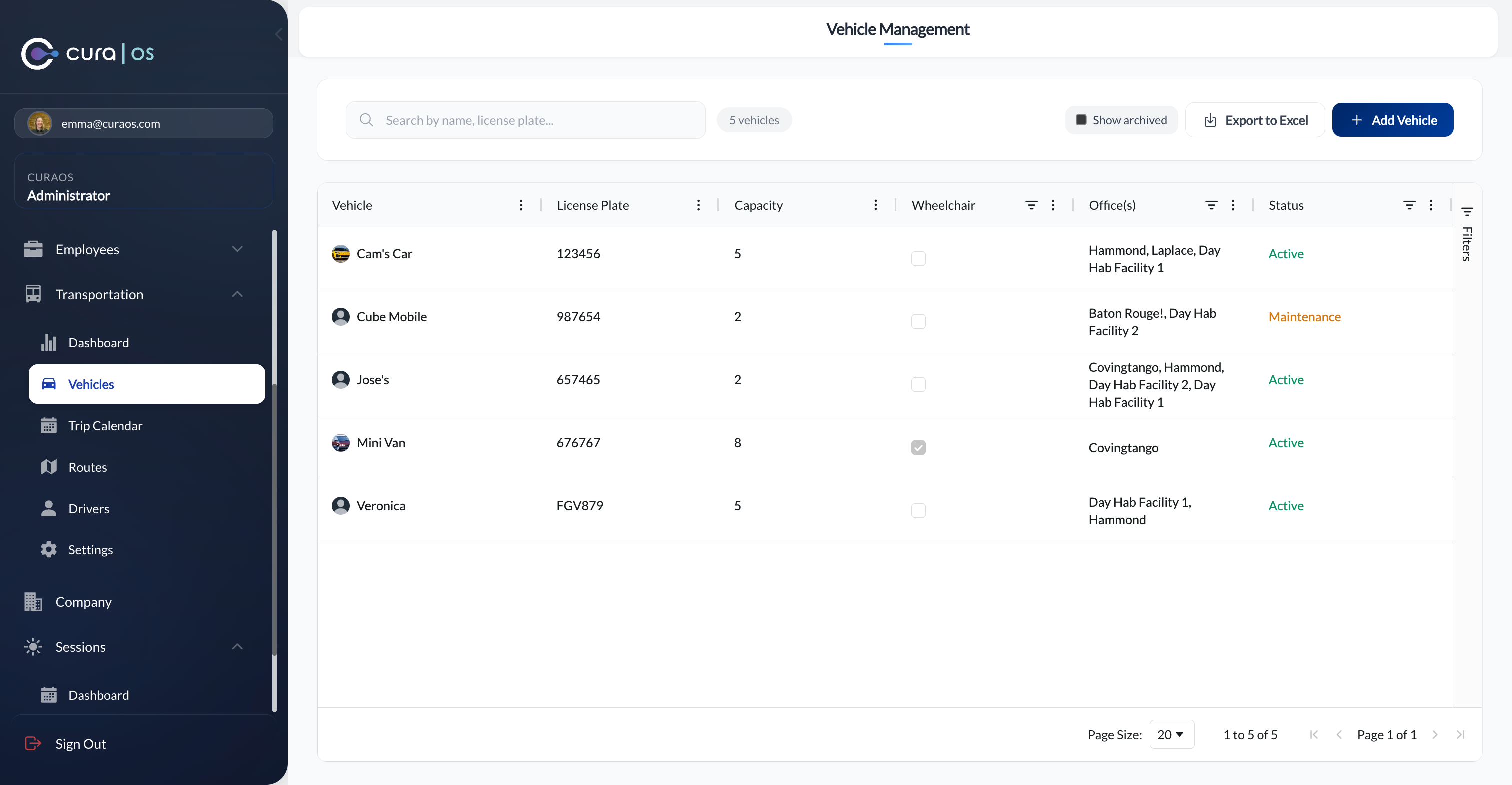
Maintain a complete roster of drivers with license details and expiration tracking, alongside a vehicle registry that covers capacity, wheelchair accessibility, and which offices each vehicle serves. Assign both to routes with a single selection.
License expiration tracking
Driver license numbers, states, and expiry dates are stored and visible at a glance, so you're never caught off guard.
Wheelchair-accessible vehicle flags
Mark vehicles as wheelchair-accessible so coordinators can match the right vehicle to each client's needs.
Multi-office vehicle assignments
Vehicles can be shared across multiple office locations, with assignments tracked per route.
Maintenance status
Flag vehicles as active or in maintenance so they're automatically excluded from route assignments when unavailable.
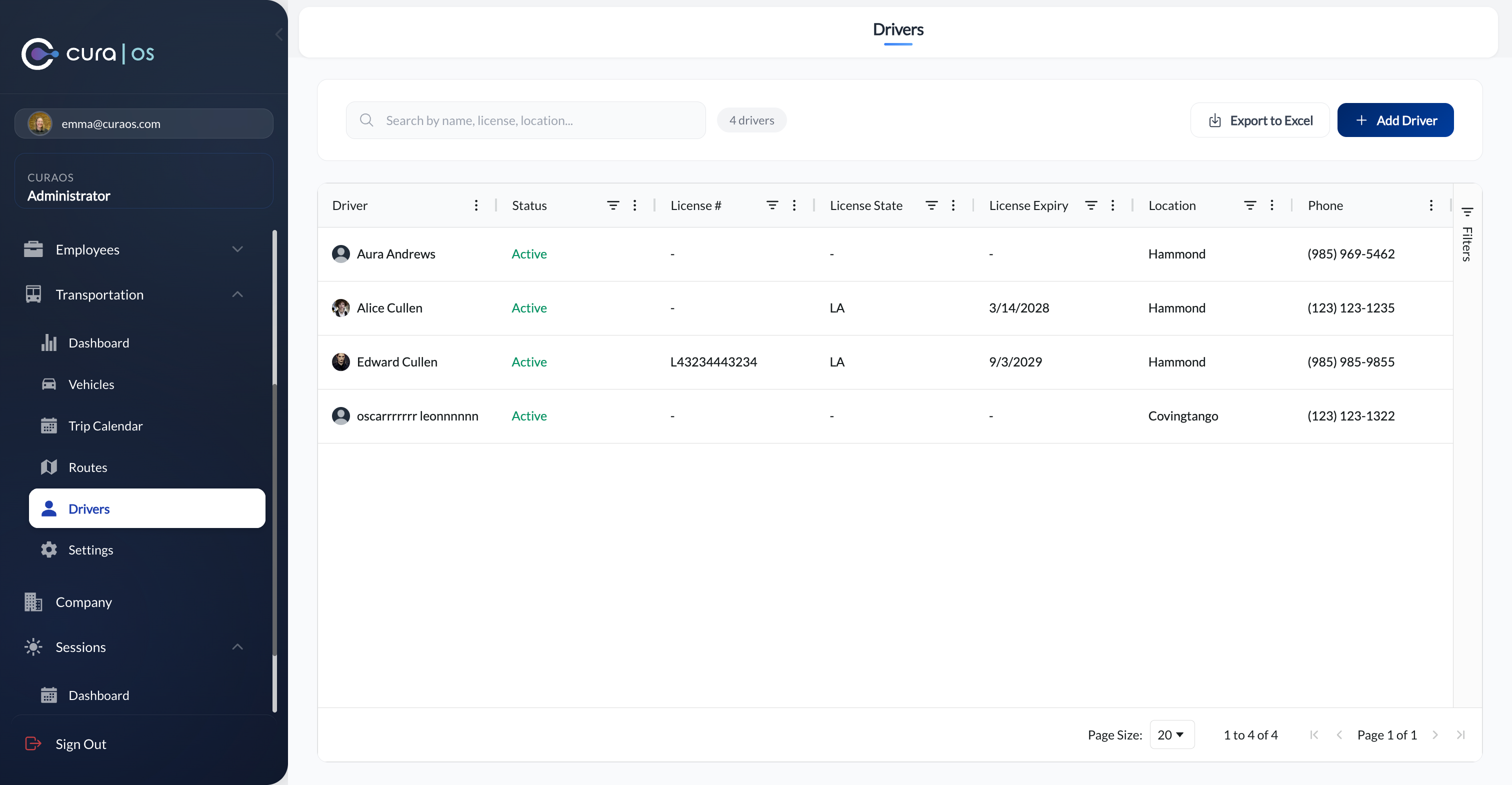
Drivers: license tracking, status, and contact info
Reporting
The numbers you need for billing and compliance
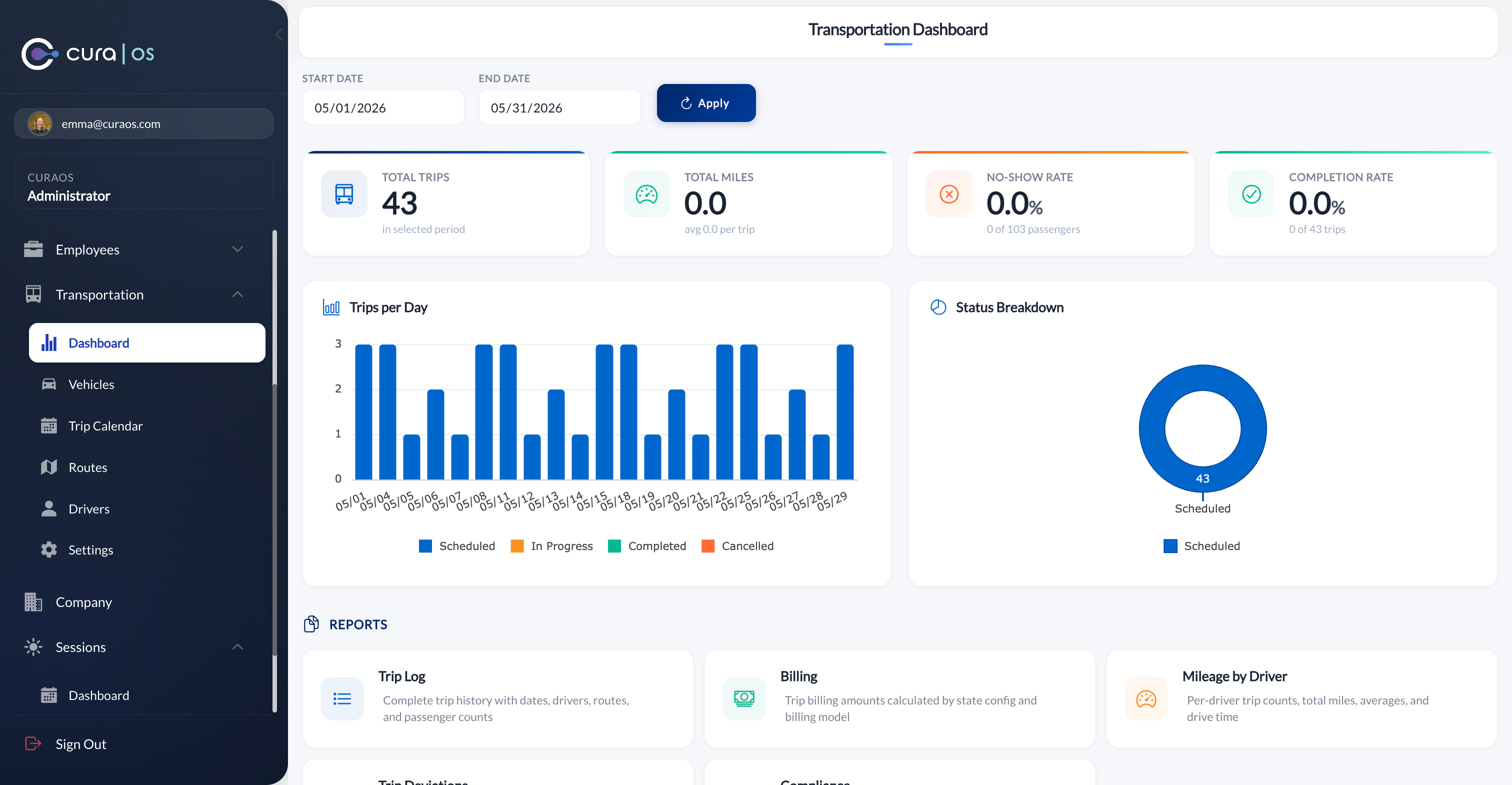
Built-in reports pull directly from your trip data, no exporting, no formulas.
Trip Log
Complete trip history with dates, drivers, routes, and passenger counts, ready for audit or internal review.
Billing Report
Trip billing amounts calculated by state config and billing model, matched to the correct procedure codes.
Mileage by Driver
Per-driver trip counts, total miles, and averages, useful for reimbursement, compliance, and driver performance reviews.
Trip Deviations
Track late departures, no-shows, and early arrivals against scheduled trip times to identify patterns over time.
Compliance Report
Verify that trips are properly documented and meet state billing requirements before claims submission.
Attendance & No-Show Rate
Understand which clients frequently miss transportation and where scheduling or routing adjustments are needed.
Common Questions
See transportation management in action
Get a walkthrough of how Cura OS handles routes, drivers, and trip tracking for your agency.